
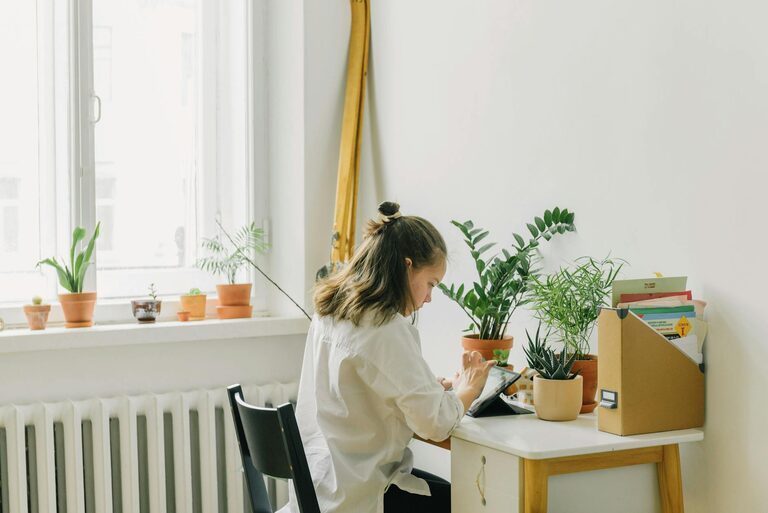
Creating a home office that is both relaxing and functional can greatly improve your work-from-home experience. Whether you’re setting up a dedicated room or carving out a small nook, the right environment helps you stay focused while feeling at ease. Here are some practical tips to guide you in designing a home office space that meets both your professional needs and comfort.
Assess Your Needs and Space
Before diving into design, consider how you use your home office:
– Work Type: Do you mostly use a computer, or do you need space for writing and paper files? This will influence your desk and storage choices.
– Time Spent: If you work long hours, comfort becomes even more important.
– Space Available: Identify a quiet corner, spare room, or even a section of a living area that can be dedicated to work.
Understanding these factors helps in selecting furniture and arranging the space effectively.
Choose the Right Desk and Chair
An ergonomic setup is key for comfort and productivity.
– Desk: Opt for a desk that suits your work style; it should fit your equipment comfortably without clutter. Height-adjustable desks are great if you want to alternate between sitting and standing.
– Chair: Invest in a good quality ergonomic chair that supports your back and encourages good posture. Adjustable height and lumbar support are vital.
Prioritise Lighting
Proper lighting reduces eye strain and creates a pleasant work environment.
– Natural Light: Position your desk near a window if possible to take advantage of daylight.
– Task Lighting: Use adjustable desk lamps to illuminate your work area clearly, especially for reading or detailed tasks.
– Ambient Lighting: Soft overhead lights or floor lamps can create a warm and inviting atmosphere.
Organise and Declutter
A tidy workspace boosts focus and reduces stress.
– Storage Solutions: Use shelves, filing cabinets, or storage boxes to keep papers and supplies organised.
– Cable Management: Use clips or sleeves to manage cables and avoid tangles.
– Minimalist Approach: Keep only essential items on your desk to maintain a clean look.
Add Personal, Calming Touches
A relaxing space doesn’t have to be sterile. Consider these ideas:
– Plants: Indoor greenery can improve air quality and add a touch of nature.
– Artwork: Choose calming images or motivational quotes that inspire you.
– Soft Textiles: Cushions or a small rug can make the space cozier.
Maintain Good Air Quality and Temperature
Comfort extends beyond furniture and décor.
– Ventilation: Keep windows open or use a fan to circulate fresh air.
– Temperature Control: Use heaters or air conditioning to maintain a comfortable temperature.
Minimise Distractions
Creating boundaries helps separate work from home life.
– Sound: Use noise-cancelling headphones or soft background music if noise is a problem.
– Boundaries: Let family members or housemates know your working hours to reduce interruptions.
– Devices: Consider apps or settings that limit distracting notifications during work time.
Incorporate Technology Thoughtfully
Effective tech support can improve workflow without overwhelming the space.
– Monitor Mounts: Free up desk space by using adjustable arms for screens.
– Charging Stations: Keep devices powered without cluttering your surface.
– Wireless Options: Wireless keyboards and mice can reduce cable mess.
Take Breaks and Move Around
Your office design should encourage regular breaks.
– Stretching Space: Leave enough room to stand and stretch or do light exercises.
– Relaxation Zone: If possible, include a comfortable chair or small sofa to step away from your desk periodically.
—
By focusing on comfort, organisation, and personal touches, you can create a home office that is both relaxing and functional. A well-planned workspace not only supports your productivity but also encourages a healthier work-life balance. Set up your home office with these tips and enjoy working in a space designed for your wellbeing.